120 minutes of Live Transform or 20 minutes of Live Try-On, 1 six-second H3 768P video, Voice Pro, and 3 cloud training credits.
Get the app
LIVE AI CREATION FOR WINDOWS
archyy Studio
Transform your live camera, direct AI video, and route a realtime voice from one production workspace.
Live
Create
Voice
Characters
Windows public beta · Output ready for OBS and desktop apps
01 · LIVEMove as the character
Realtime camera transformation with session controls that fit the way you work.
02 · CREATEDirect the next shot
Text, image, and reference-to-video in a focused cloud workspace.
03 · VOICERoute a new voice
Local conversion into a virtual microphone for calls, games, and streams.
04 · OUTPUTSend a clean feed
A dedicated window for OBS and desktop capture without Studio controls.
01 · ARCHYY LIVE
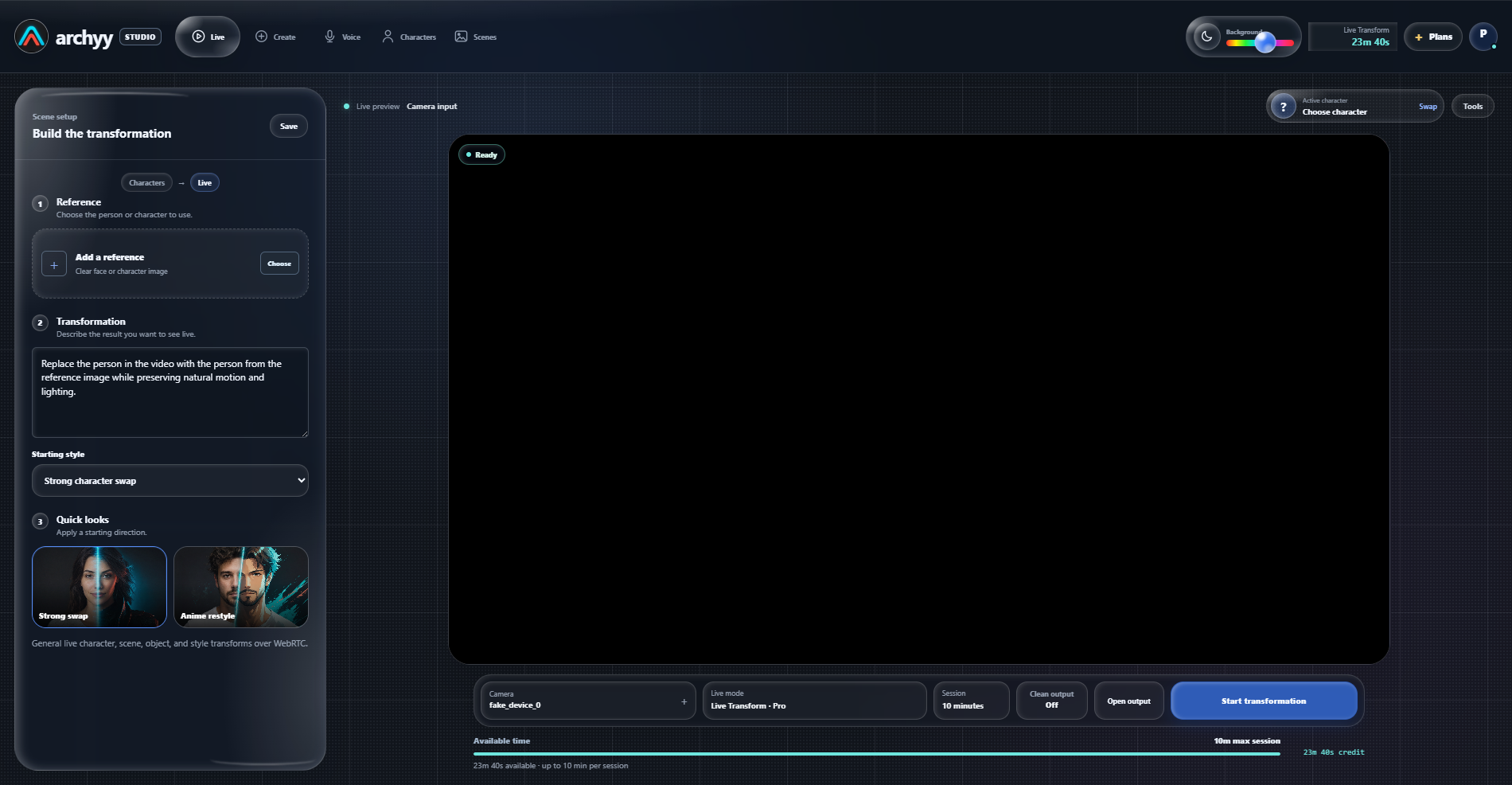
The character follows your performance.
Choose a reference, describe the transformation, and use a live-first Studio allowance across Live Transform and Live Try-On. H3 video has its own included balance, so creating a clip never drains live time.
- Plans
- Plus, Pro, and Max provide live-first time, H3 video, and Voice Pro for 30 days.
- Top-ups
- Add 60 non-expiring Live minutes for $10 at any time, even while other time remains.
- Output
- Open a clean always-on-top window for OBS and virtual-camera workflows.
- Control
- Choose 30 seconds, 1, 2, 5, or 10 minutes, or continue until time runs out. Unused reserved time returns when you stop.
 Transformed
02 · ARCHYY CREATE
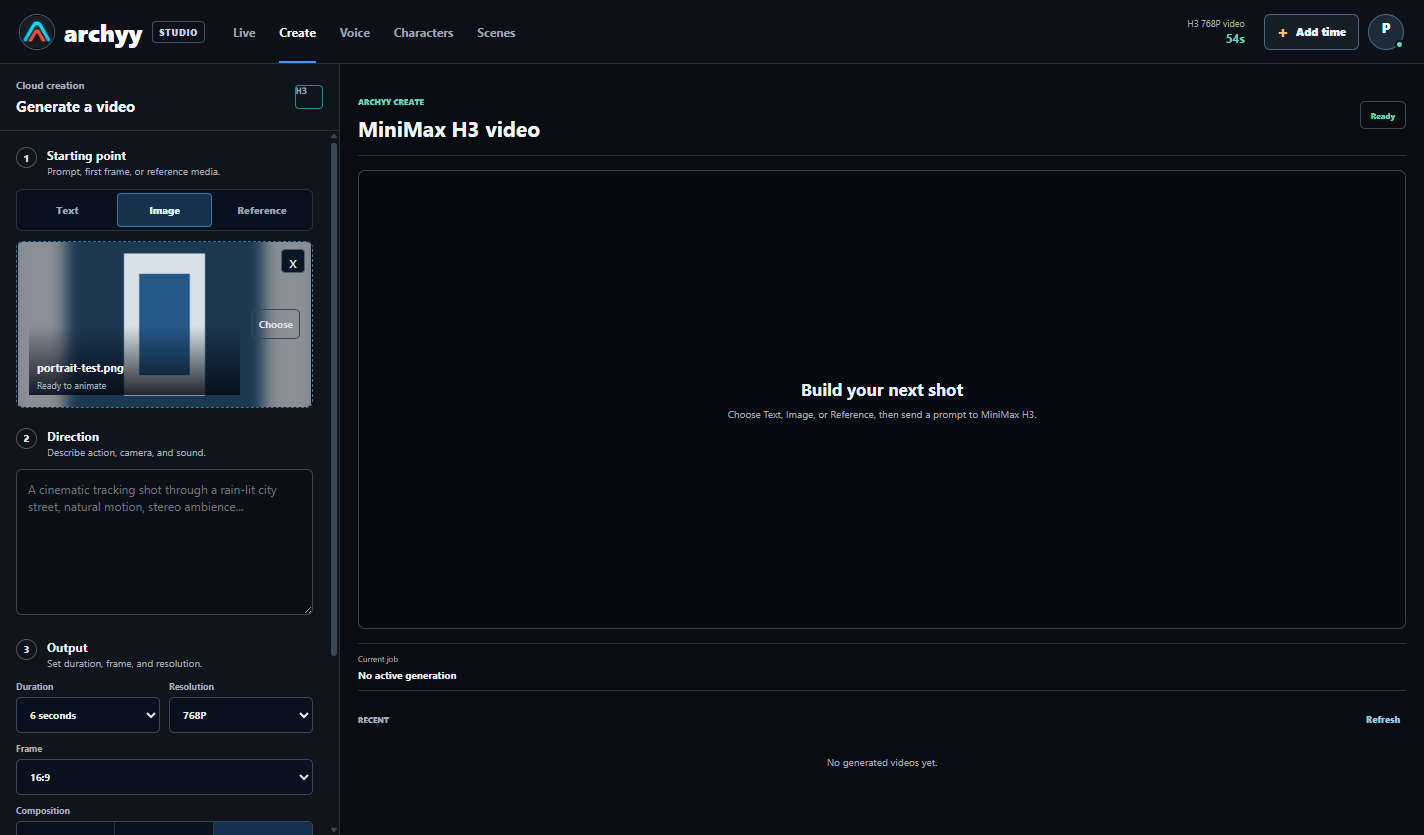
Move from an idea or image to a finished clip.
Direct MiniMax H3 with text, image, or reference media. Choose duration, resolution, and an intentional output frame before credit is reserved.
- Framing
- Use Source, Fit, Fill, or Expand with explicit landscape, square, and portrait ratios.
- Preview
- The canvas shows how the selected source will be composed before generation starts.
- Included H3
- Every membership has a separate 768P video allowance. Purchased H3 top-ups remain separate.
- History
- Recent jobs remain available in the Create workspace after processing finishes.
03 · ARCHYY VOICE
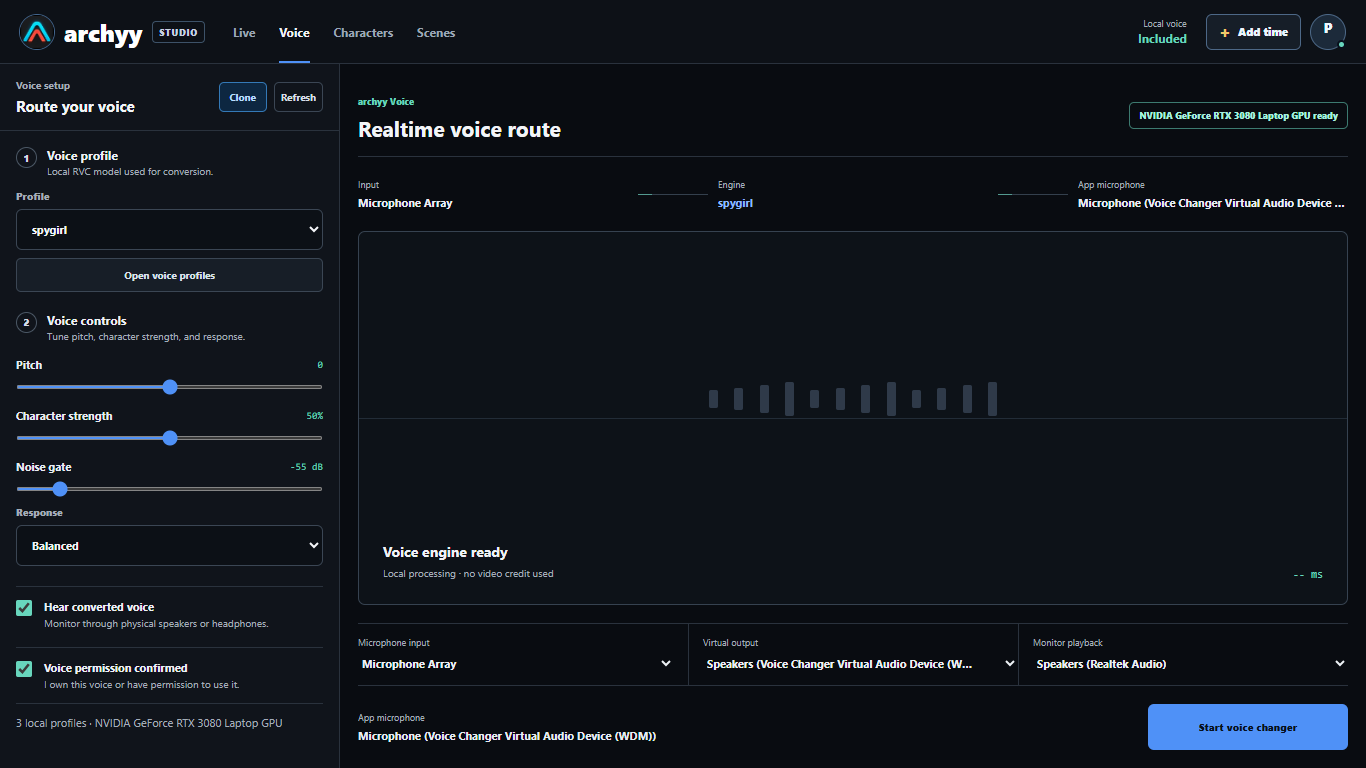
Your voice route stays under your control.
Convert speech locally with an installed profile, monitor the result through headphones, and send the converted signal to supported desktop apps through a virtual microphone.
- Local route
- Realtime conversion does not consume live-video credit.
- Profiles
- Use a voice you own or have explicit permission to use.
- Voice Pro
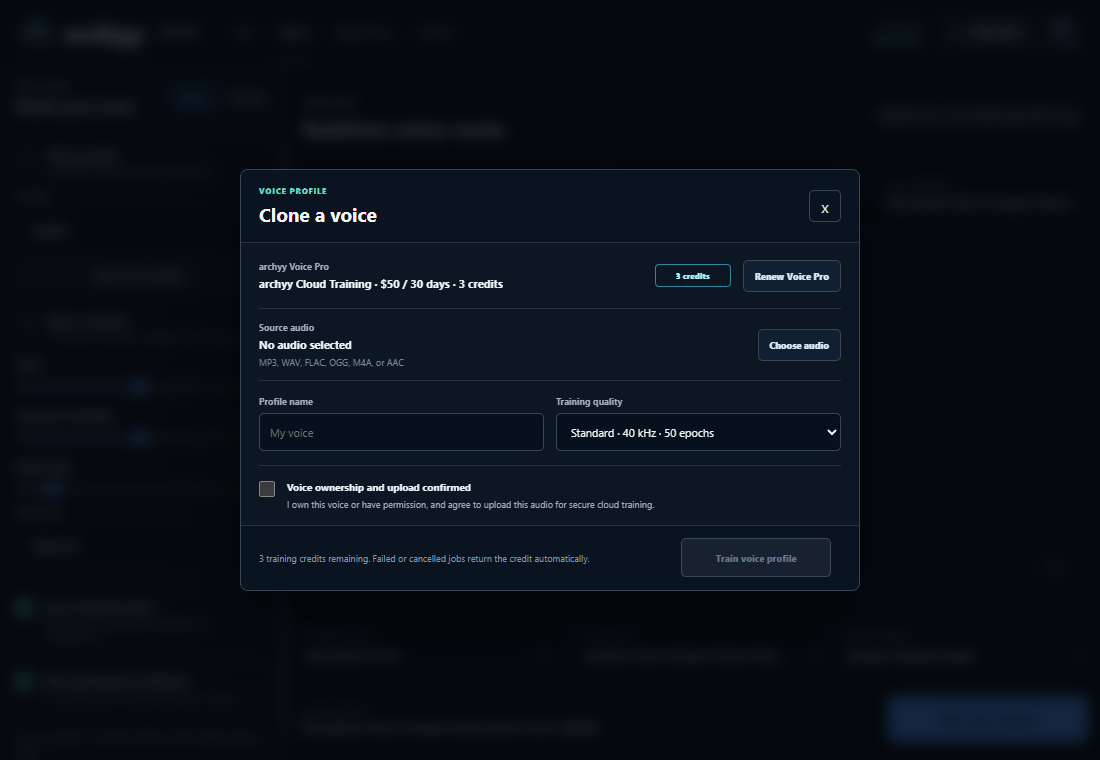
- Included with every Plus, Pro, and Max plan, with three consent-gated cloud training credits.
VOICE PRO · INCLUDED WITH EVERY PLAN
Train, save, and apply a voice profile inside archyy.
Every Plus, Pro, and Max plan includes Voice Pro and three cloud training credits for its 30-day access period. Training cannot begin until source ownership or permission is confirmed.
PRICING
Choose a plan. Add time only when needed.
Choose a predictable 30-day plan, then add non-expiring Live time whenever you need it. Live and Try-On use one shared allowance, while H3 video and purchased top-ups remain separate.
One payment gives 30 days of access. Renew manually when needed.
360 minutes of Live Transform or 60 minutes of Live Try-On, 2 six-second H3 768P videos, Voice Pro, and 3 cloud training credits.
Get the app720 minutes of Live Transform or 120 minutes of Live Try-On, 4 six-second H3 768P videos, Voice Pro, and 3 cloud training credits.
Get the appBuy extra Live Transform time at any point. Purchased minutes do not expire and carry over between plans.
Get the appAdd extra cloud text, image, and reference-to-video credit at any time. Plan H3 credit is separate.
Get the appUSE IT WITH PERMISSION
Creative tools need clear boundaries.
Consent required
Only upload or train on a face, voice, image, or recording you own or are authorized to use.
No impersonation fraud
Deception, scams, non-consensual sexual content, harassment, and identity abuse are prohibited.
Auditable payments
Entitlements change only after a verified provider event. Manual grants are allowlisted and logged.
Report abuse
Production access includes a direct channel for safety reports, account restriction, and evidence preservation.
WINDOWS PUBLIC BETA
archyy Studio is preparing for launch
The public beta is not available yet.
Unsigned beta
Our organization code-signing certificate is still being validated, so Windows may identify this build as an unknown publisher. Install only if the SHA-256 fingerprint below matches. You can wait for the signed release if you prefer.
New in this beta
- Camera capture now requests native 1080p first, with safe 720p and compatibility fallbacks.
- Phone and virtual cameras now include Auto, Full frame, Medium, and Close-up framing controls.
- Live diagnostics now separate upload and transformed-output bitrate and flag limited-detail streams accurately.
- Your account now shows recent payments, credit grants, live time used, and unused time returned.
- Quick Setup and live presets make the first successful transform easier to start.
- Support reports can be exported without prompts, media, voice, filenames, camera frames, or raw machine identifiers.
- Plus, Pro, and Max now provide 120, 360, and 720 Live Transform minutes for 30 days.
- A $10 Live top-up adds 60 non-expiring minutes and can be purchased at any time.
- Live Transform now receives more plan time than Live Try-On across every membership.
- Every plan includes a separate H3 768P video allowance plus Voice Pro and three cloud voice-training credits.
- Existing live and H3 top-up balances remain separate and are preserved.
- Sessions can run for 30 seconds, 1 minute, 2 minutes, 5 minutes, 10 minutes, or until all available time is used.
- Unused reserved time returns when a session stops early.
- The clean output relay is more stable for OBS and virtual-camera workflows.
- Approved app launches support privacy-scoped service monitoring.
- System
- Windows 10 or 11, 64-bit
- Voice
- NVIDIA GPU recommended for local realtime conversion
- Access
- Reviewed beta activation through the archyy bot